Sitting – I Won’t Stand for It

Five years ago this month, I finally started working from home on account of the pandemic. This was a major change after 14 years being in an office, although the transition was delayed from March because my employer at the time had only had desktop PCs and needed to buy us laptops.

Before this, I’d already been interested in a standing desk. Regular use can help improve your overall health. To this end, I’d experimented with differnt layouts for my own computer, settling on a tabletop stand that could hold a laptop and nothing more.

With the prospect of working from home, however, it was necessary to find room for an external monitor because we used several software applications and it was easier to keep them all on screen at the same time. I quickly found a gas-lift standing desk adaptor and the employer made a contribution towards buying it.

In this time, I’ve changed jobs twice and moved house once, and I still work from home for the majority of the time. I realised recently that while the setup worked perfectly well, the equipment took up more than twice the space of what I actually required, so it was time to scale down.

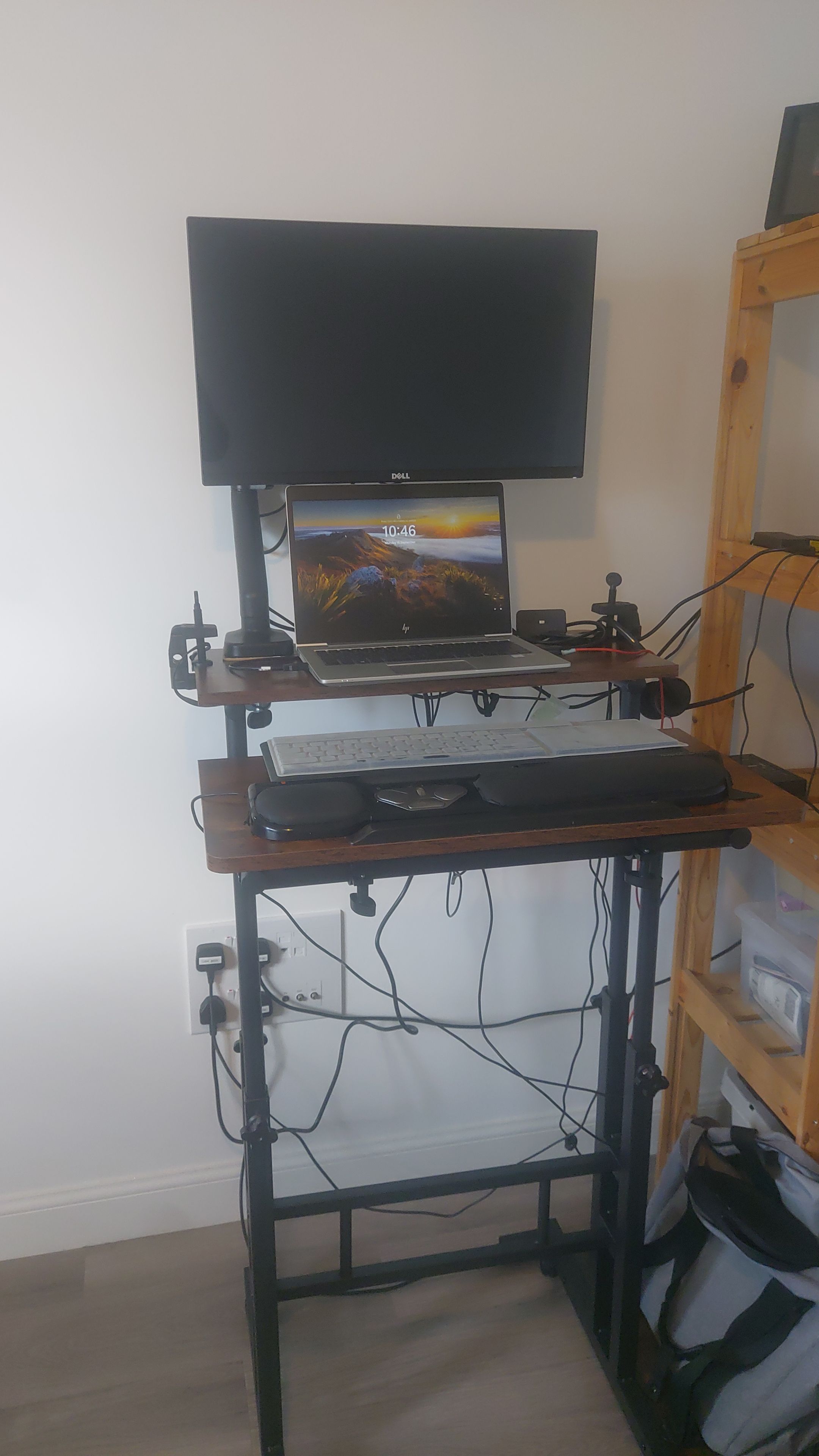
My new desk is just 600mm square, split horizontally, as seen below.

The desk set up in a standing position, with a monitor, laptop and keyboard on the tabletop parts. Towards the bottom is a bank of electric sockets; to the right of the picture, wooden shelves can be seen.

The far half of the tabletop can hold the monitor arm and laptop, while the keyboard can be at a different height and/or angle on the near half. It even has a built-in extension cable and LED lights, eliminating the need to use my own cable.

I’ve had to compromise slightly, with the wooden shelves providing a handy place for a few of the electrical adaptors. However, all the essential parts are present and the new setup fits much more snugly into the room.

Here’s to this lasting at least the next five years, if not much longer.

Six Vital Writing Items

Since becoming a writer, I’ve found I’ve come to rely on a several useful items and resources. Let’s look at six of the more important ones, divided equally into two lists.

Related to technology

  1. Privacy screen
    If you regularly use a laptop in a public place, such as cafés or trains, grab a privacy screen yesterday. These narrow the field of view so anyone looking from the next seat is unlikely to see your screen. I used to own one that was stuck to the screen with near-invisible tabs, although dirt found its way behind that, so I think I’ll buy a removable one next.
  2. Text shortcuts
    When I’m writing, there are certain words, phrases and symbols that I often use, so I’ve set the AutoCorrect in Microsoft Word to generate these; for example, the letters ‘wr’ type out ‘whether’ into the document. In tandem, I have an AutoHotkey script, allowing me to generate a en-dash with a simple key combination, among other useful symbols. Finally, if you press Win+V on a Windows machine, you can access the multiple copy-and-paste feature to save time when transferring a lot of different items.
  3. Mobile hotspot or tethering
    After a decade of running a writing group, the one constant is a hit-or-miss Wi-Fi connection, sometimes from week-to-week in the same venue. I recommend finding a mobile phone plan that allows you to use your own Internet connection where the house Wi-Fi fails, perhaps even a cheap one seperate from your normal phone. Indeed, some tablet devices support a SIM card, which does the same job.

Unrelated to technology

  1. Diary with note pages
    For many years, I’ve kept an A5-sized paper diary with a week spread over a page or two pages. When you’re on the phone to organisers, it’s much easier to check your availability. I also make sure there’s plenty of note space, as many of my pieces begin life as pencil on paper. Speaking of which…
  2. Sharpener with shavings container
    These days, I never buy a pencil sharpener without a little bin attached to it. It keeps all the shavings contained so I don’t need to move away from my desk to deal with a blunt pencil.
  3. Subscription to Writing Magazine or similar
    I feel obliged to point out that other magazines are available; this is simply my go-to publication. I haven’t grouped this under technology as printed magazines still appear to be thriving, even if the content is also available digitally, including Writing Magazine. I like their sheer breadth of featured publishers and competitions, although only a handful will be suitable for my work.

Pencil, Paper and Privacy

I’m in a poetry circle called the Wyverns. Each month, we write a piece and share it with the rest of the group, inviting constructive feedback from the others.

This month, the prompt was Cartoon characters. With only four days until the next meeting and a hazy idea about what to write, I churned out a piece and an introduction directly into an email. After checking it over for any obvious errors, it was then sent to the other members.

When I told the group about how I’d composed the poem, it started off a discussion about the writing process, primarily whether we used paper to start, or entered it straight into a computer.

Typically, my pieces do start on paper. I make sure to buy a diary with plenty of note pages because these double as my notebook. It was a habit I developed a few years ago because I was typing all day at work, and it was a relief to pick up a pencil instead.

As I’m a touch-typist, writing by hand is considerably slower, but it can also allow more time to think about the text while composing. Paper also affords a less linear approach, freely allowing the addition of words with a carat mark or margin notes. A word processor, by contrast, typically likes to restrict the user to one line. There are odd exceptions like Microsoft OneNote, which can be used as a digital scrapbook.

I find writing by hand works best for prose and poetry. These blog entries are composed much more quickly, often in reaction to something that’s happened the same week, so these are entered straight into WordPress. I run a writing group every Tuesday and I often use that time to polish them off.

While we’re here, if you do a lot of writing on a computer in a public place, my advice is to buy a privacy screen immediately.

You can see the image straight on, or slightly to the left or right, while anyone looking at too steep an angle won’t be able to make anything out. Mine attaches with unobtrusive clear pads and stays permanently in place, but some other designs are removable.

Backing Dvorak

If you look at the keyboard settings in your operating system, you’ll often spot several different layouts that the computer can understand. For instance: a French keyboard has its letters in a slightly different order, while a Russian one uses a completely different alphabet. Among them, you might see one marked ‘Dvorak’.

Despite its Czech name, the layout was invented by an American educational psychologist for use in typewriters. It’s well-known that the QWERTY design was introduced to slow down typists and avoid jamming the mechanisms, but by the 1930s, machines had improved to the point where fast typing wasn’t a problem. That’s where August Dvorak came in.

About a year or two after I began writing fiction, I began to develop Repetitive Strain Injury in my fingers, so I wanted to explore other options such as writing by hand, voice dictation, and a different keyboard.

With the vowels and most common consonants on the middle row, and the least often used on the bottom row, your fingers don’t need to travel so much. This is also the principle on which Scrabble letters are scored, but that’s a topic for a different time.

Dvorak does have downfalls. When I started using the system, I needed labels on the keys as reminders, graduating to a custom-built external keyboard, before I was able to rely on muscle memory. I also can’t change the keyboard on my workplace computer so I need to switch mentally between that and QWERTY.

Additionally, I mentioned how the layout was designed by an American, so a few of the keys don’t operate as expected, especially the pound sterling symbol.

To circumvent this, I use a program called AutoHotkey. On start-up, it loads a script that maps keypresses to other keys or to a subroutine. So if I press Ctrl+3, Windows can display the missing ‘£’ symbol rather than the ‘#’ produced by Shift+3. I have a few similar shortcuts for these special cases, although I still rely heavily on memory.

On balance, using the Dvorak keyboard has been a help more than a hindrance, and I’ll probably be using it well into the future.

Nobody’s Ever Over the Weather

For the last six days, I’ve been rather unwell. It’s not the Big Thing, that’s for sure, but it’s meant I’ve been less physically able to move. This has meant I’ve spent more time in front of the computer.

On the plus side, though, I was able to devote some time to a short story I’d half-written, and it didn’t take that long to finish.

Unfortunately, the effort it took to finish that story has drained the energy required to write a blog entry. So tune in next week when this illness has hopefully eased off a bit more.

The 5am Story

One of the pieces of advice often given to beginner writers is to keep a notepad and pen by your bedside to write down any ideas that occur in the middle of the night. I’ve said a few times on here that this has never worked for me. Yet something happened last week that helped me with a current project.

I woke up before 5am on a couple of occasions last week, and was unable to get back to sleep. It’s a dangerous distraction to switch on your computer at that time, but I decided to give it 20 minutes, then head back to bed.

Instead, I ended up solving a problem with a story that wasn’t coming together properly. There were a lot of solid plot points that were difficult to arrange into a logical narrative. This was also part of a series, so there needed to be a little explanation for those who hadn’t read the previous instalment, but not so much that it slowed down the pace.

The breakthrough came after about ten minutes, and once I’d arranged the first few paragraphs into the right order, the rest followed. It’s now up to more than 1,300 words with more to follow, and the next story in the sequence will include the points I had to leave out of this one.

Repetitive Strain Recovery

It was around the time of the 2014 Commonwealth Games when I really started notice the strain in my fingers. It had started off weeks before as a pain in the middle finger of the hand I used to click a computer mouse, but as I was writing humorous commentary about the opening ceremony to online friends, it was difficult to keep going.

The cause was obvious. I had a job where I was typing for most of the day, and I was using a computer outside of working hours. As such, something had to change before my fingers dropped off and I couldn’t write any stories or poems.

One practical adjustment I could make at work was to apply for a roller mouse. The roller is in a fixed place, and it can be controlled with different parts of your hand to avoid straining one place. I’d already been using AutoCorrect to save keystrokes when entering common phrases and jargon.

Outside of work, however, there was more freedom. I started to write my first drafts by hand, making use of the lined pages in my diary. To type up the second draft, I learnt how to use voice recognition. Used properly, speech-to-text software has a good level of accuracy even out of the box, but it’s important to exercise patience while it learns the way you speak.

Furthermore, I found that lifting free weights at the gym relieved the pain in my fingers temporarily. As I usually go at lunchtime, this helped me out in the afternoons.

This year, I’ve realised that by making these changes, I can now type for much longer without my hands hurting. However, I still keep my other measures in place as I don’t want another five or six years of beating RSI again.

Points of View

This week, I’ve been so pushed for time that I couldn’t pull together a full entry. Instead, here are a couple of photos.

This first one is my writing area. There are better views from other windows, but it is a great place to stand and observe people and traffic. There is a seat in the room, but it’s not in front of the PC. I prefer to stand while I write.

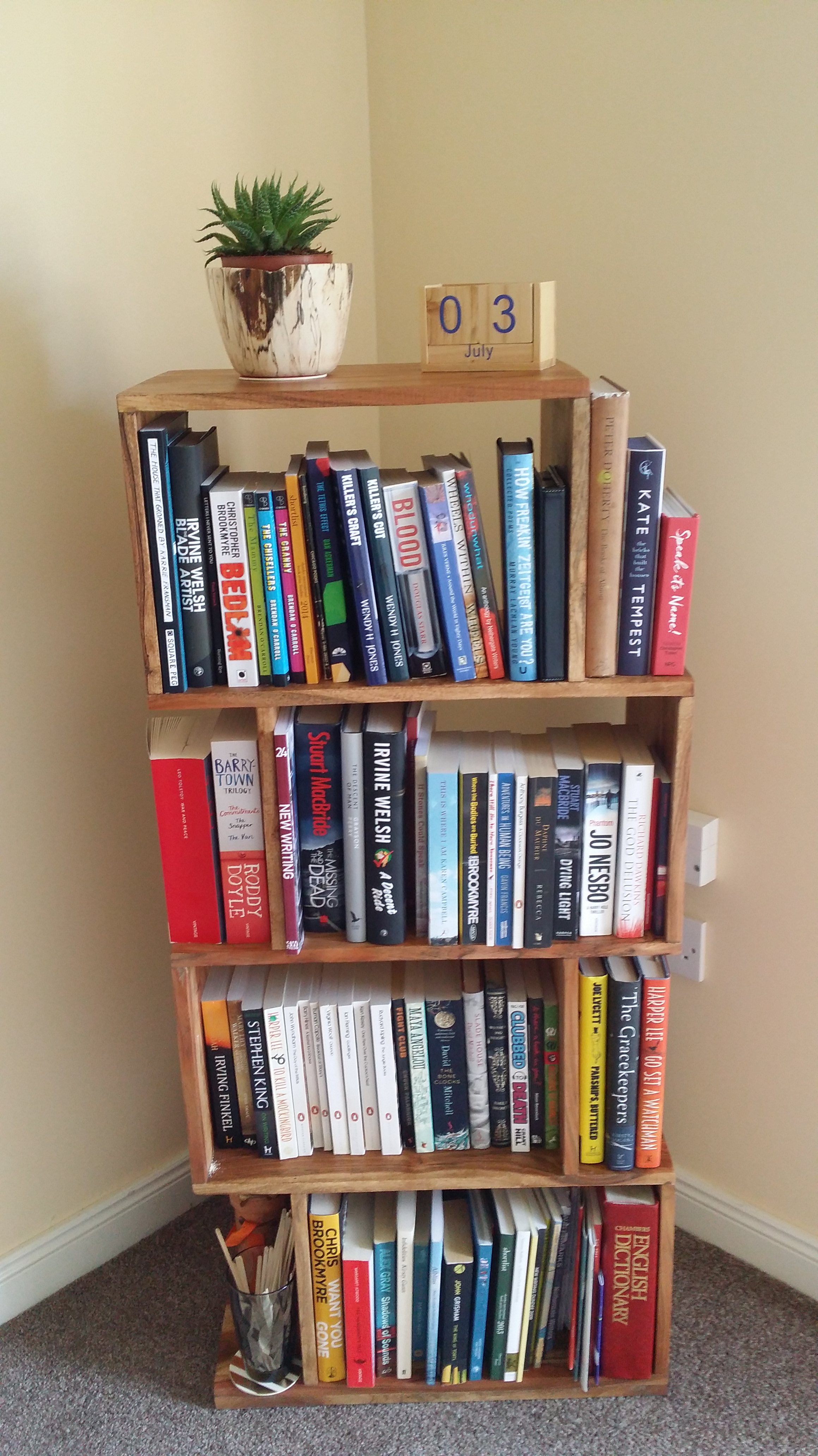
The second is my bookshelf. I don’t have a TV here, so this is the focus of my living room. I’ve yet to read most of them, but they’re there for when the occasion arises.

Giving The Finger.

As writers, we should all protect our most valuable tools of the trade: our fingers. Lately, I seem to have been using them a little too much. I’ve taken leave for a week, and I’ve seen a physiotherapist. So this post is brought to you by Dragon NaturallySpeaking voice recognition software.

This type of technology has improved enormously since Stephen Hawking was kitted out with a synthesiser. Only today, I found a CD-ROM containing ViaVoice 98. That was a nightmare to use. You. Had. To. Speak. Each. Word. Individually. Nowadays, you can speak in your everyday voice.

Dragon is actually relatively accurate, even though I have a Scottish accent. That said, it reset itself for no obvious reason as I was about to type this entry so I’ll need to recalibrate it. I don’t mind because the calibration text is excellent, including excerpts from 2001: A Space Odyssey and Dogbert’s Management Handbook.

Just as handwriting can produce different results from typing, so can dictation. By speaking the words out loud, you can hear the cadence as you go along, or if you have a new idea while writing, you can record it before it’s forgotten.

One word of caution, though: it’s not cheap. Dragon for individuals starts at £79.99. Happily, if you own Microsoft Word, you already have this feature. Have a look at the Help menu to find it.

EDIT: Since writing this entry, I’ve been advised that the facility is not available in Office 2010 on XP.

Some Salvaged Scribbles.

A few days after my handwritten entry last week, I was looking for something in my bottom drawer, when I discovered an old notepad. It’s nothing special; it’s a Tesco Value spiral-bound A4 pad with a slightly ripped cover.

I’ve used a quarter of its 80 pages, and most of it is taken up with attempts to expand on a fragment of poetry that I tried to expand into a song, although there is also a brief novel idea, pages of free writing, and a poem on the topic of my own handwriting.

Of these, I only consider the poem be a decent piece of work. As for the rest, I know what I was trying to express, but I didn’t have the techniques at my disposal to do it properly. But looking at the content, I’ve calculated that I last wrote in this notebook in September 2009, more than a year before I began writing. I’m therefore not surprised about the quality.

My filing system
My filing system

Yesterday, I discovered other half-completed notebooks, but none as full or detailed as this one. I’ve noticed I rarely reached the last page, although I’m more than likely to complete my current ones. Also, there are hardly any drawings or even doodles, just text.

But the one notebook I would like to look at again is missing, believed lost. At my very first National Novel Writing Month meeting, my laptop battery died. I had to rush out and buy a notepad and mechanical pencil so I could continue my story. I had it about a year before its disappearance, and it contains drafts of my first novel, and some of my earliest stories. I don’t think I’ve lost anything, but I might have.

I know I’m not the only writer with notepads dotted about, and I’d like to hear about yours. Do you have any hidden in a drawer somewhere? What did you discover when you pulled them out again? Have you misplaced an important story you wish you could recover?